Real apps, not prototypes — backends included

The AI app builder for working software

Accounts, databases, APIs, real state — described in a sentence, planned, built, verified until clean, and published with the server side hosted for you. When it belongs in a store, it packages native.

Tools & trackersClient portalsInternal dashboardsBooking & schedulingCatalogues & inventoriesCommunity apps
Past the prototype line

Apps that hold real state

The gap between a demo and an app is a backend. This builder crosses it: server-backed builds carry accounts, storage and APIs — hosted and managed when you publish.

Real backends

Accounts, data and APIs — not localStorage cosplay

Choose the server-backed type at plan time and the build gets genuine infrastructure: user accounts, a database, server APIs — even WebSocket real-time. Publishing hosts the server side for you.

  • User accounts and sessions that persist
  • A real database behind your data
  • Server-authoritative logic clients can't tamper with
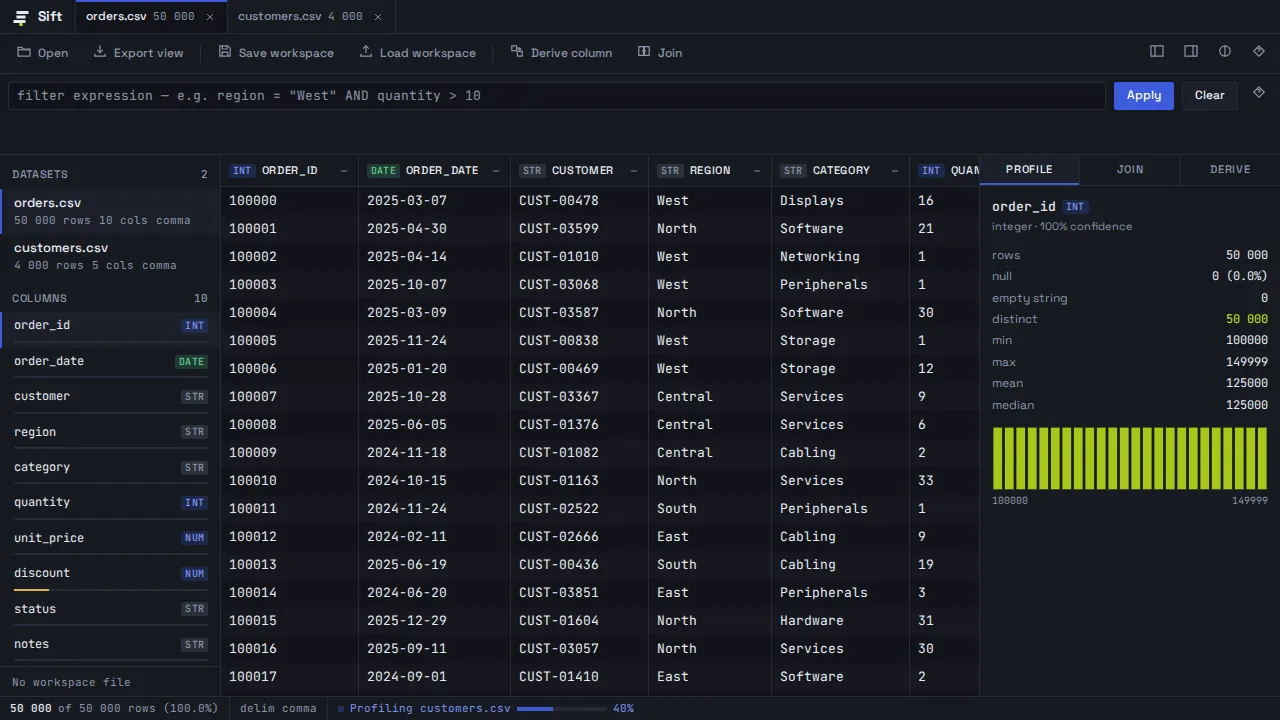
Sift — a data workbench app built by the platform
Working, then shipped

Verified like software, because it is

App verification exercises flows in a real browser — forms submit, state persists, auth gates hold — alongside code review, a security audit and accessibility checks. The loop iterates until nothing's left to find.

  • In-browser functional pass on real flows
  • Security audit on every version
  • Conformance against the plan you approved
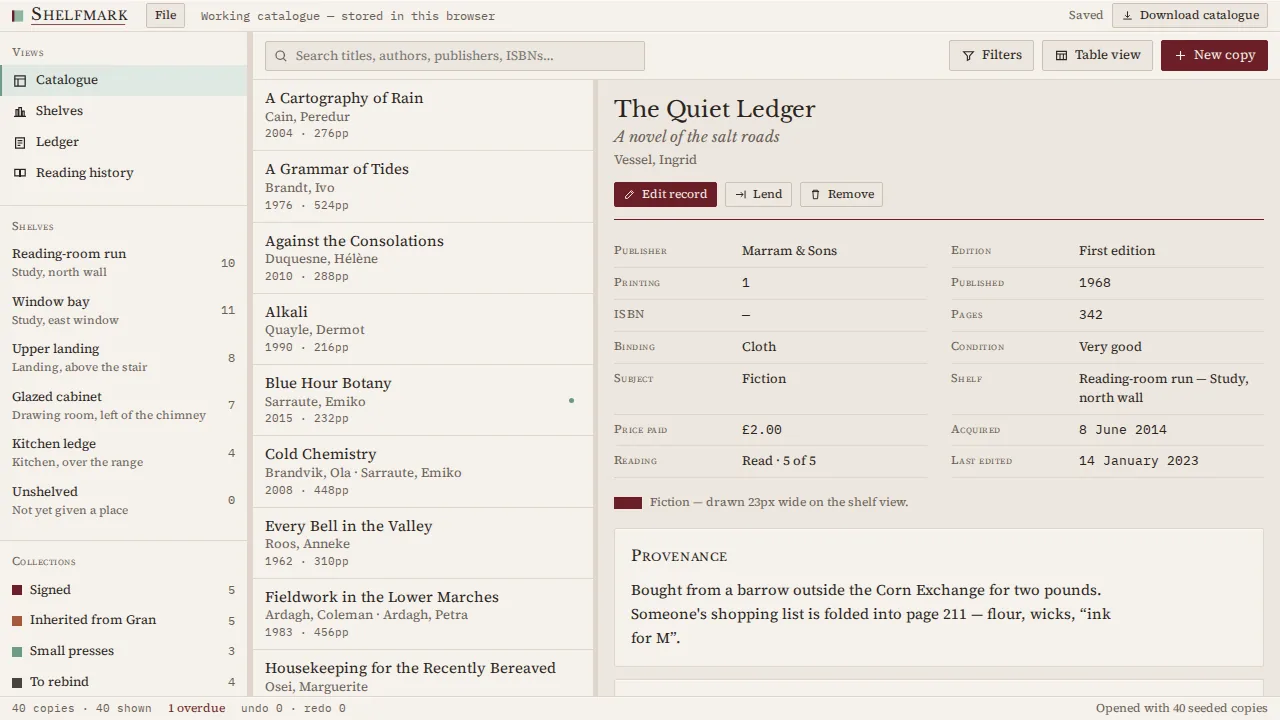
Shelfmark — a personal library cataloguer
Native when you want it

From web app to installed app

The same conversation produces installable artifacts: a signed Android bundle through the real Gradle toolchain, desktop apps for Windows, macOS (universal) and Linux — and the store path is agent work.

  • Android .aab built by the actual toolchain
  • Desktop installers for three OSes
  • Store listings and privacy declarations generated from the code
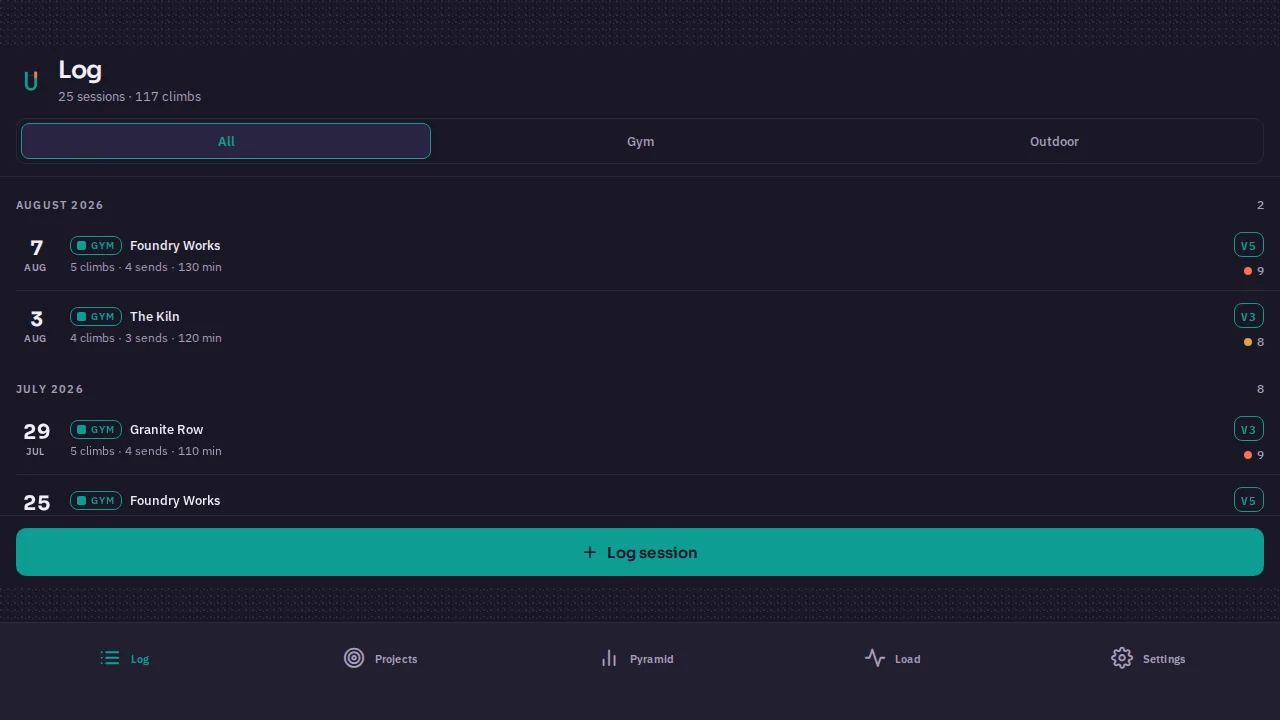
Belay — a climbing training log
How it works

From idea to running app

The five steps, with the important one built in.

1

Describe it

“An expense splitter for roommates” is a complete prompt. Say who it's for; skip the tech.

2

Approve the plan

Screens, features, and crucially the product TYPE — server-backed apps are chosen here.

3

Watch it build

Live preview while the builder writes frontend, backend and the wiring between.

4

Verification runs

Real-browser flows, security, code review — fixed and re-run until the verifiers go quiet.

5

Publish

One click: app live on your subdomain with the backend hosted. Iterate in the same chat forever.

After the build

Running it after launch

An app in production needs updates, data, and distribution. All three stay one conversation away.

Hosted publishing

Server-backed apps go live with managed infrastructure — no servers to rent. Your own server over SFTP works too, versioned with revert.

Native + stores

Android to Google Play through your developer account, desktop installers for direct download — listings, graphics and code-checked privacy answers generated.

Usage tracing

Analytics per hostname, Search Console for the app's public pages, store install snapshots — one dashboard.

Iterate without fear

Every change is a new version; production only changes when you publish it. Rollback is a click. The whole story.

Built in

Everything the app builder ships with

Plan-time typing

Static, PWA, framework or server-backed — the structural choice is explicit, not accidental.

Knowledge & references

Your specs, docs and examples feed the build as ground truth.

Templates

Save the app as a starting point; the next client project starts at 80%.

Multi-language

Build and converse in twenty languages; your users get your language.

Tenant isolation

Row-level security at the database layer; your data and credentials stay yours — in plain words.

Verification record

Each version's audit trail: layers run, findings, fixes.

Ideas

Apps people actually build

A training log with progress chartsA craft-fair inventory and sales trackerA client portal with loginsA grassroots league managerA family care-coordination hubA local-first CSV workbench
FAQ

app builder FAQs

Can it really do accounts and databases?+
Yes — that's the server-backed build type: real auth, a real database, server APIs, hosted for you at publish. Say “users need accounts” at plan time.
Is the build checked before I get it?+
Yes — every build runs a verify → fix → re-verify loop (code review, security audit, links/SEO, accessibility, conformance, an in-browser run) and the loop keeps iterating until the verifiers find nothing left to fix. Details: How builds verify themselves.
Can I put my app on phones?+
Android today: a signed .aab/.apk from the real toolchain, shippable to Google Play through your developer account. iOS is on the roadmap. Desktop (Windows/macOS/Linux) ships now.
What happens when I change a live app?+
Nothing, until you say so: changes create new versions you preview; production updates only when you publish one. Every version stays restorable.
How do I know if people use it?+
Connect Analytics (hostname-filtered) and, for store builds, store analytics snapshots — daily numbers in the same dashboard, feeding the optimizer.
Do I own what I build?+
Yes — prompts, content, and the built product are yours, including commercial use (Terms §5). Publishing and store accounts are in your name, not ours.
Can I try it for free?+
Yes — the free plan includes every builder and the full verification chain, with a monthly credit allowance and no card at signup. See what the free plan actually includes.

More answers in the full Q&A and the handbook series.

More builders

Think it. Describe it. Run it.

Working software with a real backend, from one sentence — verified until clean, hosted when you publish.

Start building free