MV3, minimal permissions, two stores

The AI extension builder for the missing button

Some products are a button that lives in the toolbar: clean this page, watch this price, save this thing. Describe the moment it acts — the builder handles MV3, permissions, the popup, the icons, and the path to both stores.

Reading & researchPage monitorsProductivityPrivacy toolsShopping helpersDeveloper utilities
The fastest idea-to-shipped path

Real extensions, store-ready by construction

Extensions live or die on store review — and store review cares about permissions, manifests and privacy claims. The builder treats those as first-class, not paperwork.

Built right

MV3 without reading a single migration doc

The current manifest standard both stores require, the service-worker background model it implies, and a popup/options UI styled like a product — from a plain-language description of the behavior.

  • Manifest V3, correct from generation
  • Popup, content scripts or background watcher — shaped by your description
  • Icon family at every size the stores demand
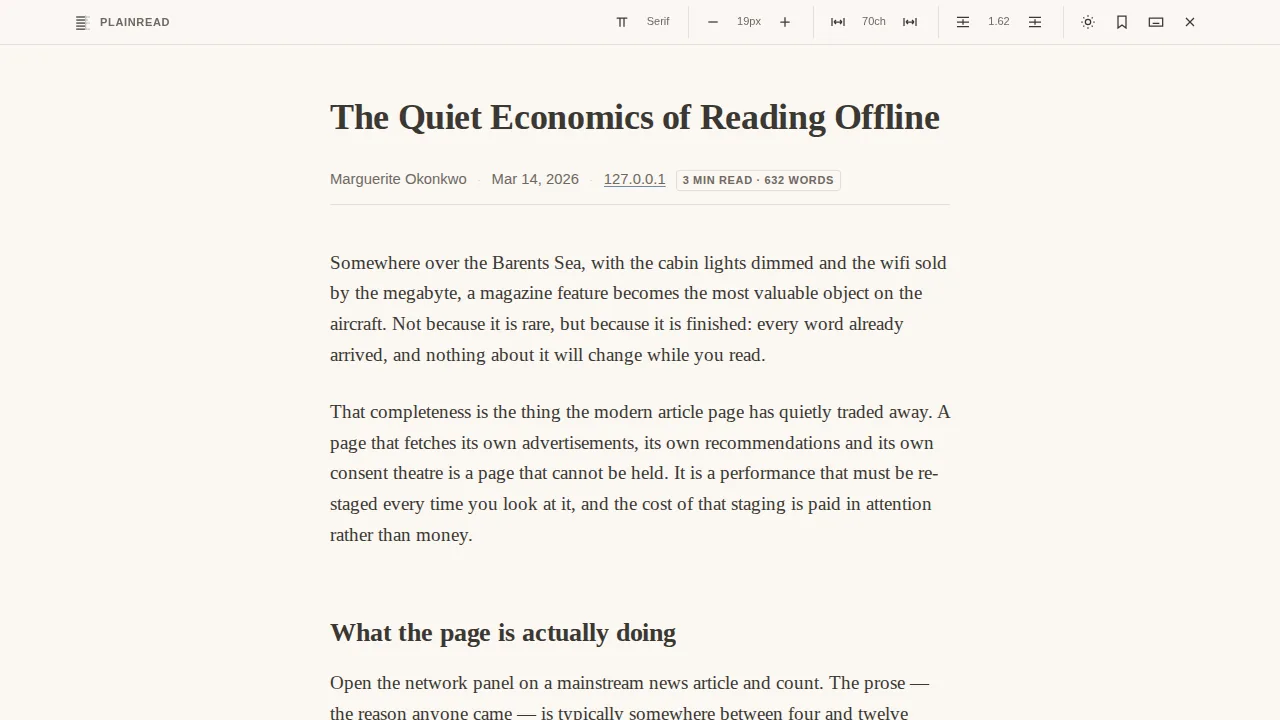
Plainread — a decluttered reading mode extension
Minimal permissions

Ask for less, pass review faster

Over-asking is the top review trap and an accidental privacy claim. The build requests only the permissions the behavior needs — and every request comes with a written justification for the listing.

  • Permissions derived from behavior, not templates
  • Per-permission justifications generated
  • Privacy answers checked against the actual code

Sightline — a privacy x-ray extension
Two stores, one click each

Chrome and Firefox, through your accounts

The listing kit — screenshots, copy, permission justifications, a published privacy policy — generates from the build. Firefox ships fully hands-off via API; Chrome gets console autofill down to the last checkbox.

  • Firefox Add-ons: upload to listing with no console visit
  • Chrome Web Store: kit + autofill, you click publish
  • Re-ships bump versions and update listings automatically
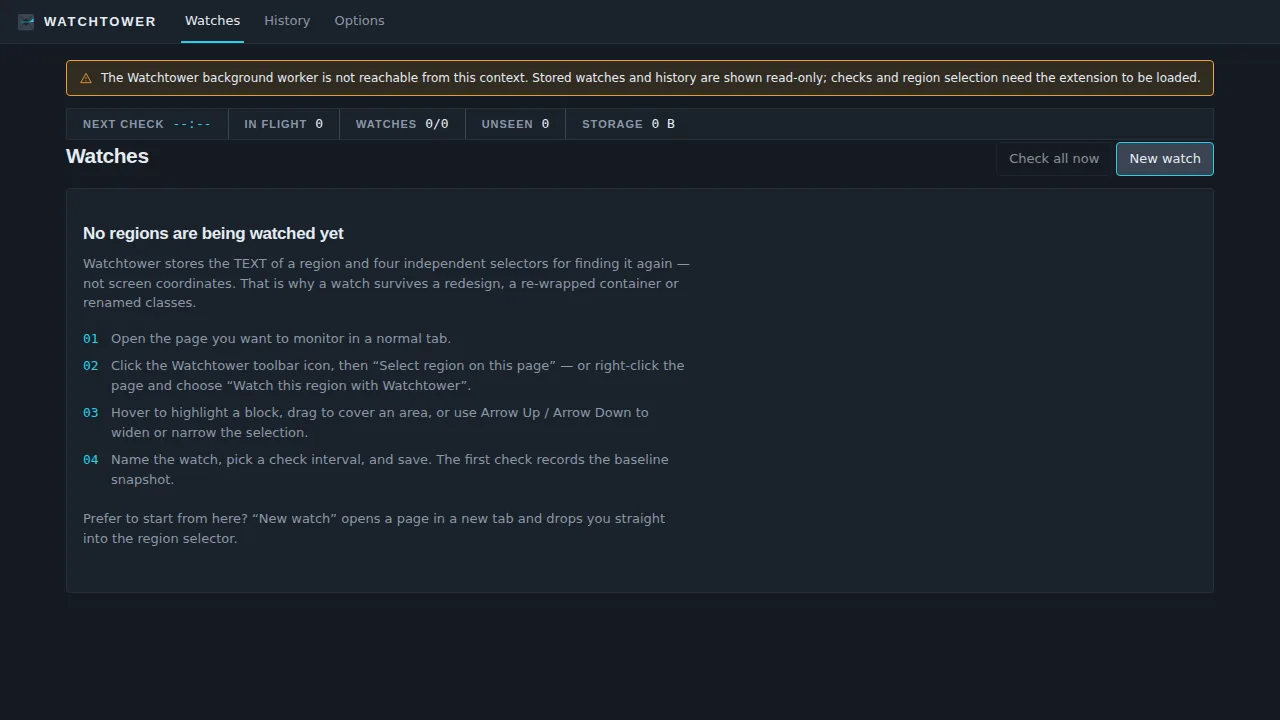
Watchtower — a page-change monitor extension
How it works

From itch to installed

Describe the moment it acts; the shape follows.

1

Describe the action

“Strips clutter from articles when I click it” — the trigger moment decides the architecture.

2

Approve the plan

Popup vs content script vs background watcher, and the minimal permission set, proposed upfront.

3

Watch it build

UI, logic, manifest, icons. Preview in chat; load it unpacked for a real-browser test.

4

Verification runs

Functional checks, code review, security — and permission minimality is part of the bar.

5

Ship to stores

The kit generates; Firefox ships via API, Chrome autofills. Your developer accounts, your listing.

After the build

After it ships

Store distribution has its own afterlife: reviews, updates, analytics. Covered.

Store status tracing

Submissions land in your Shipped hub with per-store state; store analytics snapshots (installs, listing performance) collect daily.

Painless updates

Iterate in the chat; re-ships rebuild the zip, bump the version past the published one automatically, and refresh the listing.

A landing page in minutes

Pair the extension with a website build for SEO reach the stores don't give you — same platform, one more sentence.

Honest privacy forever

Privacy declarations stay code-checked on every re-ship — your listing never drifts from what the code does.

Built in

Everything the extension builder ships with

Both store formats

One build, Chrome and Firefox zips — quirks per store handled.

Local testing

Load-unpacked instructions right on the build card for a real browser check.

The listing kit

Screenshots, promo tiles, copy, justifications, privacy page — generated, editable, never overwritten once you touch it.

Options & storage

Settings pages and synced storage wired like a real product.

Versions & rollback

Every iteration is a version; any version re-ships.

Verification record

The audit trail per version, permissions included.

Ideas

Extensions people ship

A decluttered reading modeA page-change monitor with badgesA privacy inspectorA price-drop watcherA tab organizerA form-filling assistant for your team
FAQ

extension builder FAQs

Which browsers are supported?+
Chrome (and Chromium family) and Firefox — one build produces both store-ready zips. Both ship through your own developer accounts.
How fast is store review?+
Firefox typically lists quickly; Chrome's queue runs days. Neither is under anyone's control but the store's — plan launches accordingly.
Is the build checked before I get it?+
Yes — every build runs a verify → fix → re-verify loop (code review, security audit, links/SEO, accessibility, conformance, an in-browser run) and the loop keeps iterating until the verifiers find nothing left to fix. Details: How builds verify themselves.
Why do permissions matter so much?+
Stores review them, users fear them, and every permission is a privacy claim. The builder requests the minimum and writes the justification for each — see the extension manual.
Can I test before shipping?+
Yes — preview in the chat, then load the zip unpacked (developer mode) for a real-browser test before any store sees it.
Do I own what I build?+
Yes — prompts, content, and the built product are yours, including commercial use (Terms §5). Publishing and store accounts are in your name, not ours.
Can I try it for free?+
Yes — the free plan includes every builder and the full verification chain, with a monthly credit allowance and no card at signup. See what the free plan actually includes.

More answers in the full Q&A and the handbook series.

More builders

The button your browser is missing.

Described in a sentence, shipped to two stores through your own accounts — free to start.

Start building free